Subscribe to our news:

 Partners
Testimonials
Grey: "We're a two-person company, it's just me an my wife. I'm the technical guru, and she handles the business operations. I have to know a lot about MySQL, but that's much too technical for her. I have frequently had to setup CGI scripts (I code in Perl) so she can manage some of our tables (suppliers, manufacturers, etc).
I discovered PHP Generator a couple of days ago, tried the free version,and within a few hours I had purchased the Pro version (as well as SQL Maestro for MySQL).
Today I am completing the conversion of the last of my custom table managers to PHP Generator. This is eliminating several thousand lines of
code that I don't have to support any more!
Thanks for this fantastic product".
Steven Langfield: "I wanted to drop you a mail to say how freaking AMAZING your software is. It will be the best £100 I have ever spent. I have still to read all your documentation to take full advantage but what you have created is truly amazing".
More
Add your opinion
Customers
|
PHP Generator for MySQL online Help
Shortcut keys
The following table describes the default shortcut keys in applications created with PHP Generator for MySQL.
Add new record
|
Alt+Ctrl+I, Alt+Insert
|
Save (in input forms)
|
Ctrl+Return
|
Save and add another record
|
Ctrl+Shift+Return
|
Previous page
|
Ctrl+Left
|
Next page
|
Ctrl+Right
|
Open all details
|
Ctrl+Shift+/
|
Open Filter Builder
|
Ctrl+Shift+F
|
Add a new condition in Filter Builder
|
Alt+Ctrl+I, Alt+Insert
|
All or any shortcuts may be customized in components/js/pgui.shortcuts.js
|
 |
|
SQL Maestro Group team wishes you a Happy Easter!
|
|
Get a 20% discount for all our products and bundles till April 12!
|
Company news 
Aug 23, 2022
New version introduces toggles, one- and two-dimensional barcodes, enhanced lookups sort order, changing page data sources, PHP 8.1 support, editor hints, and other useful things.
Feb 12, 2021
A new version comes with PHP 8.0 support, inline View forms, updated CheckBox Group editor, on-the-fly adding of new items to multi choice controls and other useful improvements.
Sep 10, 2020
A new minor version features the possibility to customize headers and footers of 'Registration', 'Resend verification' and 'Password recovery' pages, revised OnAddEnvironmentVariables event, default values is Cascading Combobox editors and more.
Resources
The article shows how to implement an AJAX-based one-click editor for a logical column.
This article begins a series of step-by-step tutorials on how we made the NBA demo. It explains how to add new items to the menu, implement run-time theme selection, and tweak the login form.
The article illustrates how to use various chart libraries with PHP Generator.
Feature of the day
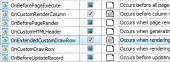
PHP Generator allows you to set the fragments of PHP code to be executed before or after a record was added, edited, deleted, etc.
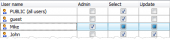
PHP Generator allows you to protect the result script with a lot of security settings.
|












 Download
 Buy
Buy