Subscribe to our news:

 Partners
Testimonials
Mark J Nijland: "I have used the trial versions of your software for a couple of days now. It has been one of those increasingly rare experiences. They simply work, have rich feature sets, are superbly designed, and exceed my highest expectations".
Kenneth Wagner: "SQL Maestro is a delight to use. It is easy to learn. Almost always intuitive and has a good help system. I would gladly recommend it to either a beginner or even an advanced user".
More
Add your opinion
Customers
|
SQL Maestro for MySQL online help
Import Data Wizard
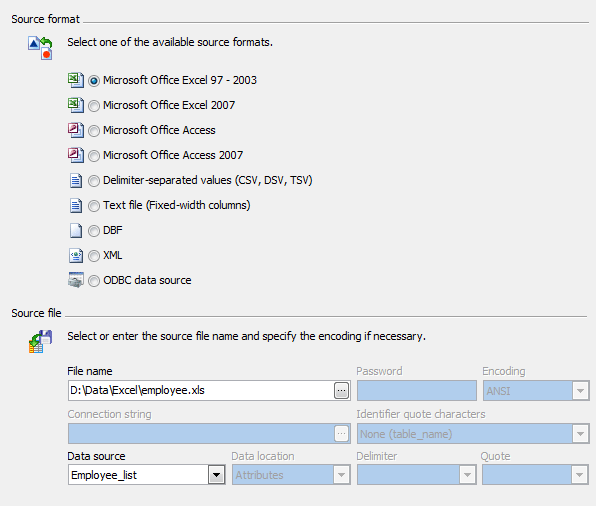
Import Data Wizard provides you with a graphical user interface to import data from the most popular files formats into existing MySQL tables. It allows you to adjust data formats, empty target tables, execute custom SQL scripts, etc.
Import Data tool supports:
| • | Microsoft Office Excel 95-2003 |
| • | Microsoft Office Excel 2007 |
| • | Microsoft Office Access 2007 |
| • | Delimiter-separated values (CSV, DSV, TSV) |
| • | ODBC data sources (any database accessible via an ODBC driver or OLE DB provider, such as SQL Server, MySQL, Oracle, MS Access, Sybase, DB2, PostgreSQL, etc.) |
In order to run the wizard you should
| • | open the table in Table Editor; |
| • | select the Import Data item from the Navigation Bar. |
To import data,
See also: Export Data Wizard
|
Company news 
Mar 21, 2025
New version comes with support for invisible columns, invisible (ignored) indexes, check constraints (MySQL), sequences (MariaDB), a number of password-management capabilities (MySQL) and other features.
May 22, 2017
New version features direct support for a number of MariaDB new features like roles, check constraints and virtual columns; support for roles added in MySQL 8.0, usage statistics for database profile and some other useful things.
May 14, 2015
New version comes with improved support of the latest MySQL versions including generated columns and fulltext indexes. There are also a number of significant interface enhancements.
Resources
The article puts forward a scenario for implementing row level security in MySQL 5.x.
Find out the way MySQL Maestro can help you to realize the new MySQL 5.1 features in practice. Detailed examples are included.
Get to know all the new features of MySQL 5 (ACID Transactions, Stored Procedures and Functions, Triggers, Views, etc.) and the way MySQL Maestro can help you to use them easily and effectively in practice from our new article. Examples are included.
Feature of the day
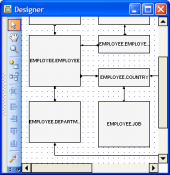
SQL Maestro for MySQL provides you with Database Designer to represent your MySQL databases as ER Diagrams in a couple clicks.
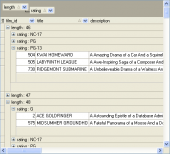
SQL Maestro for MySQL allows you to group data in grids by any table column(s).
|












 Download
 Buy
Buy