Subscribe to our news:

 Partners
Testimonials
Rati Dzidziguri: "I'm working on development of ERP and CRM software and during the process of creation of those products I have tried lots of solutions by the only solution I would call as an user friendly professional and with many other epithets is MySQL Maestro and all Maestro toolkits".
David Boccabella: "I am getting my manager to purchase your excellent product in a couple of day. It has really proved useful with working with the advanced features of MySQL".
More
Add your opinion
Customers
|
SQL Maestro for MySQL online help
Create Objects
SQL Maestro for MySQL provides a number of Create Object Wizards to accomplish the most facile MySQL object creation.
There are several ways to invoke the necessary Create Object Wizard:
| • | select the Object | Create Database Object... main menu item; |
or
| • | select the object list (Tables, Views, Triggers, etc.) or any object from that list in the Explorer tree (Object Manager and Object Browser); |
| • | select the Create New Table (View, Trigger, etc.)... item from the popup menu or press Insert. |
|
Company news 
Mar 21, 2025
New version comes with support for invisible columns, invisible (ignored) indexes, check constraints (MySQL), sequences (MariaDB), a number of password-management capabilities (MySQL) and other features.
May 22, 2017
New version features direct support for a number of MariaDB new features like roles, check constraints and virtual columns; support for roles added in MySQL 8.0, usage statistics for database profile and some other useful things.
May 14, 2015
New version comes with improved support of the latest MySQL versions including generated columns and fulltext indexes. There are also a number of significant interface enhancements.
Resources
The article puts forward a scenario for implementing row level security in MySQL 5.x.
Find out the way MySQL Maestro can help you to realize the new MySQL 5.1 features in practice. Detailed examples are included.
Get to know all the new features of MySQL 5 (ACID Transactions, Stored Procedures and Functions, Triggers, Views, etc.) and the way MySQL Maestro can help you to use them easily and effectively in practice from our new article. Examples are included.
Feature of the day
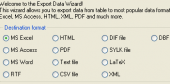
SQL Maestro for MySQL provides you with an ability to export data to any of 14 available formats.
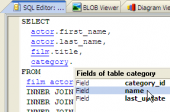
SQL Maestro for MySQL allows you to customize SQL syntax highlighting for better text representation.
|
|












 Download
 Buy
Buy