Partners



 Download
 Buy
BuyMaxDB Maestro online Help
| Prev | Return to chapter overview | Next |
Specifying Domain properties

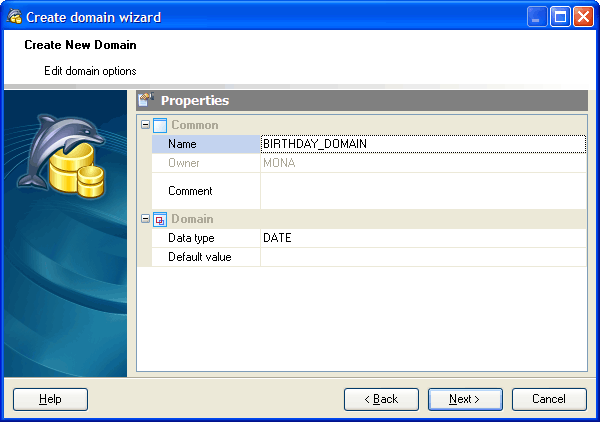
Specify the properties for the new Domain according to your needs. The detailed description is given below.
Name
Specify a name for the domain.
Owner
Select the owner of the Domain from the drop-down list. By default, only the owner of an object can perform various operations with the object. In order to allow other users to operate it, privileges must be granted. (However, users that have the superuser attribute can always access any object.)
Comment
Supply a comment to the Domain if necessary.
Base Type
Select the underlying data type for the Domain. This may include array specifiers.
Code
A code attribute defines the sort sequence to be used for comparing field values. There are four types code attributes:
| • | No code attribute |
The column values have the code attribute defined in the database system.
| • | ASCII |
The column values are stored in ASCII code.
| • | BYTE |
The column values are stored in a code, that is, the column values are not converted by the database system.
| • | UNICODE |
The application data in a table column is stored in UNICODE.
 Not Null
The checkbox indicates that the values of the Domain are not allowed to be null.
Check
Creates a single CHECK constraint for the domain (Check constraint can be like VALUE <operator> value or VALUE [NOT] BETWEEN value AND value, etc.).
Default Value
The field is used to specify a default value for the columns of the domain data type. The Default Value field may contain any variable-free expression (however, subqueries are not allowed). The data type of the default expression must match the data type of the domain. If no default value is specified then the default value is the null value.
| Prev | Return to chapter overview | Next |