Subscribe to our news:

 Partners
Testimonials
Rati Dzidziguri: "I'm working on development of ERP and CRM software and during the process of creation of those products I have tried lots of solutions by the only solution I would call as an user friendly professional and with many other epithets is MySQL Maestro and all Maestro toolkits".
Kym Harper : "Beautifully presented tools (and web site) and great service. I will be sending links to many other individuals who should be interested.
Wishing you every continued success and thank you again".
More
Add your opinion
Customers
|
SQL Maestro for MySQL online help
Selecting objects to extract their data
Select the tables to extract their data by moving them from the Available tables list to the Selected tables list.
Note: this step is not available if you select the extract structure only mode when selecting components to be extracted.

|
Company news 
Mar 21, 2025
New version comes with support for invisible columns, invisible (ignored) indexes, check constraints (MySQL), sequences (MariaDB), a number of password-management capabilities (MySQL) and other features.
May 22, 2017
New version features direct support for a number of MariaDB new features like roles, check constraints and virtual columns; support for roles added in MySQL 8.0, usage statistics for database profile and some other useful things.
May 14, 2015
New version comes with improved support of the latest MySQL versions including generated columns and fulltext indexes. There are also a number of significant interface enhancements.
Resources
The article puts forward a scenario for implementing row level security in MySQL 5.x.
Find out the way MySQL Maestro can help you to realize the new MySQL 5.1 features in practice. Detailed examples are included.
Get to know all the new features of MySQL 5 (ACID Transactions, Stored Procedures and Functions, Triggers, Views, etc.) and the way MySQL Maestro can help you to use them easily and effectively in practice from our new article. Examples are included.
Feature of the day
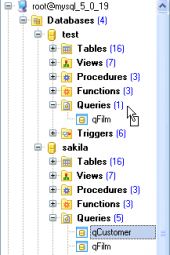
SQL Maestro for MySQL allows you to make a copy of a database object by dragging it from one database to another.
SQL Maestro for MySQL: you can select several database objects in Object Manager to perform the same operation upon all of them at a time.
|
|












 Download
 Buy
Buy